If you constantly find yourself yelling at a frozen screen, you need to Spend Five Minutes With This Hellish Operating System Simulator and You’ll Never Swear at Your Computer Again. We live in a modern digital era where we simply cannot function without our computers. We spend our work days staring at monitors, loading them up with heavy productivity suites, demanding games, and a gazillion browser tabs. When the system inevitably starts running slowly or freezing, we instantly blame the machine.
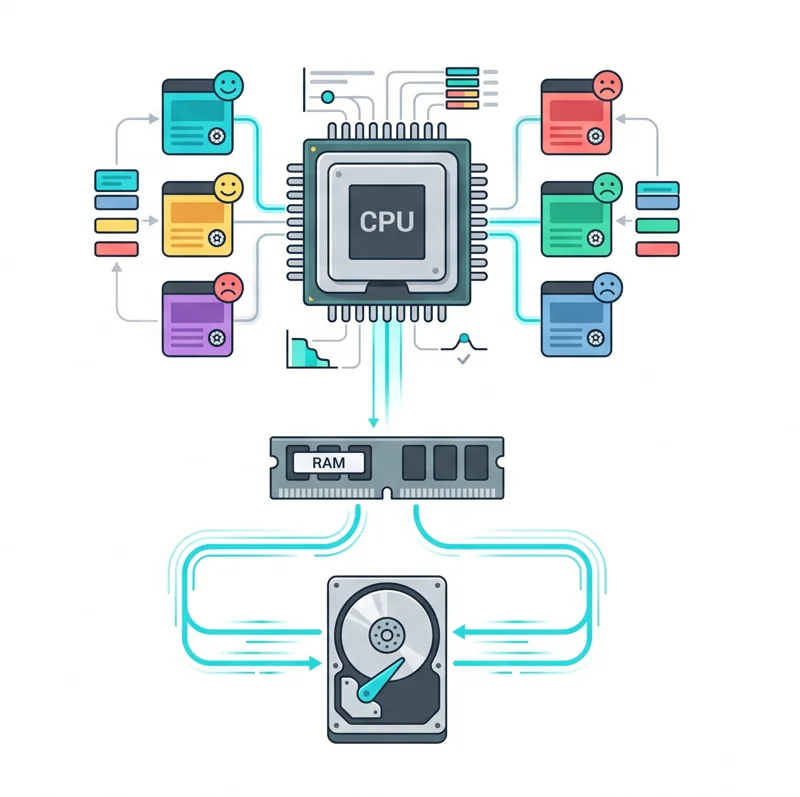
You may have never considered the immense background stress your operating system endures just to keep your favorite applications running smoothly. Now, thanks to a unique operating system simulator game, you can experience that exact digital burden firsthand.
The Core Mechanics: Spend Five Minutes With This Hellish Operating System Simulator and You’ll Never Swear at Your Computer Again
Created by indie developer Pier-Luc Brault, “You’re the OS” is a fascinating and incredibly stressful browser game. It places you directly in the metaphorical shoes of a computer’s operating system. Your primary goal is to manually manage the chaotic influx of processes and inputs that are all simultaneously begging for your CPU’s attention.
The gameplay loop strictly involves CPU allocation and RAM management. Your virtual hardware has multiple CPU cores, and you must rapidly shuffle processes in and out of available allocation slots. If you ignore a specific process for too long, its status indicator—a simple smiley face—will slowly devolve into sadness and outright despair.
| Game Element | Your Responsibility | Failure Consequence |
|---|---|---|
| CPU Cores | Assign active processes to open slots efficiently. | Processes stall, leading to user frustration. |
| RAM Management | Monitor memory space and handle page swapping. | System slows down drastically, simulating PC performance issues. |
| Priority Tasks | Push urgent operations to the front of the queue immediately. | Instant user ragequit if critical tasks are ignored. |
If a process is neglected completely, the simulated user will kill it out of sheer frustration. This acts as a direct strike against you. If the user experiences this frustration 10 times, they will ragequit, hit the physical reset button, and trigger a permanent game over screen.
No one would ever mistake this experience for casual fun; it plays out exactly like a frantic game of whack-a-mole at warp speed.
Real-World Lessons: Spend Five Minutes With This Hellish Operating System Simulator and You’ll Never Swear at Your Computer Again
As you dive deeper into this computer crash simulation, the complications aggressively stack up. You will encounter idle processes that patiently wait for user input, stubbornly wasting precious CPU cycles. Meanwhile, priority processes will throw digital tantrums if they are not immediately addressed.
Furthermore, some applications will hoover up your RAM space like tiny black holes. When the memory fills up, you are forced to swap pages to and from the hard drive. Just like in real life, this tedious mechanical swapping slows the entire digital environment down to an agonizing crawl.
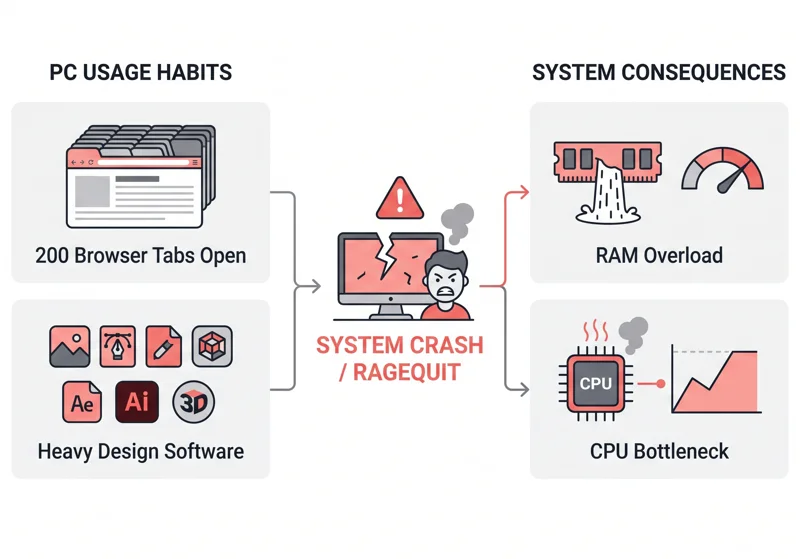
Connecting this back to our daily lives reveals a harsh truth about our computing habits. We often demand our machines to run Adobe design suites alongside heavy Excel spreadsheets, digital storefronts, and web browsers housing over 200 active tabs.
| User Behavior | OS Game Equivalent | Real-World Result |
|---|---|---|
| Opening 200 Chrome tabs | RAM space fills instantly, forcing constant page swapping. | Severe PC performance issues and massive system lag. |
| Running heavy design software | Priority processes demanding exclusive CPU core allocation. | Background apps freeze or crash completely. |
If you want to see the genius behind this project and understand how it mimics actual hardware constraints, you can explore more about web-based software limitations by reading technical insights on operating system architectures.
After failing multiple times as a virtual OS, you will suddenly feel profound guilt for every time you unjustly yelled at your struggling personal computer.
FAQs: Spend Five Minutes With This Hellish Operating System Simulator and You’ll Never Swear at Your Computer Again
What exactly is You’re the OS?
It is a browser-based operating system simulator game where you manually manage computer resources like a real OS.
Who developed this computer crash simulation?
The game was developed by indie creator Pier-Luc Brault to illustrate the difficulties of digital resource management.
Why is CPU allocation so difficult in the game?
Because multiple processes demand attention simultaneously, and if you leave them waiting too long, the virtual user gets angry.
How does RAM management work in this simulator?
When your virtual RAM fills up, you must manually swap pages to the hard drive, which drastically slows down overall performance.
What causes a game over?
If the virtual user becomes too frustrated by delayed processes, they will “ragequit.” If they ragequit 10 times, they hit reset, ending the game.
Does this game accurately reflect real PC performance issues?
Yes, it serves as a highly exaggerated but conceptually accurate representation of how multitasking strains a computer’s hardware limits.
Will playing this game actually make me stop yelling at my PC?
While it is a humorous claim, understanding the massive workload your PC handles behind the scenes often brings users a new sense of digital empathy.
Disclaimer: This article is for informational purposes only and we are not affiliated with the developers of the game mentioned. Software performance varies by hardware.