

'/%3E%3Cpath%20d='m454%20250-4%204-4-4c-3%203-9%205-9%205l2-5q-9%205-10%203c-1-1%2010-12%2012-26%200-1%203-18-8-13-2%201-4-5%200-7%203-2%2010-1%2011%200q1-2%203-2c2%200%2011%201%2014%206%202%205%202%2014%202%2015q0%2015%208%2027c-1%201-8-2-8-2v3s-7-2-9-4m-12-32c4%2014-9%2031-11%2033%2011%200%2012-10%2015-24l1%201c-2%2011-5%2022-8%2025l7-4%203-22h1l-3%2022%203%203%203-3-1-21h1l1%2021%208%203c-5-8-6-25-6-23h1c2%2012%203%2022%2012%2022-3-3-8-16-7-25q0-12-2-15-6-3-10%202-2%202-5-1c-2-2-1-2-6-4q-7-2-6%205s9-3%2013%205zm7-8q-3%201-1%202%203%200%201-2'/%3E%3C/g%3E%3C/svg%3E)
RedHook Android malware now uses Wireless ADB for shell access, marking a terrifying evolution in mobile cybersecurity threats in 2026. Security researchers have uncovered that this new variant operates entirely autonomously, eliminating the need for a physical computer connection.
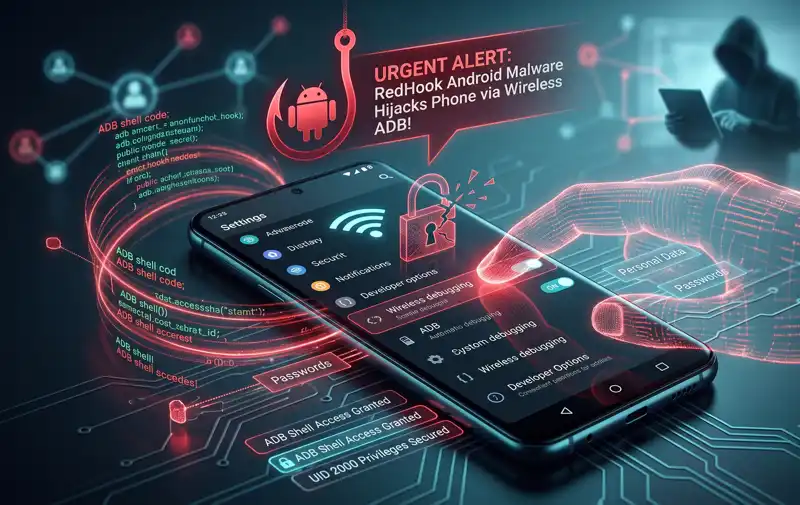
In the past, gaining advanced shell privileges required a user to plug their device into a PC via USB. Today, cybercriminals have found a way to bypass this physical limitation entirely.
This upgraded Android remote access trojan (RAT) leverages built-in developer tools to compromise your smartphone. By manipulating system settings invisibly, it grants attackers unprecedented control over personal data.
The Silent Takeover: How RedHook Android malware now uses Wireless ADB for shell access
The core of this attack relies on a clever Android accessibility permissions exploit. The malware tricks the victim into granting basic accessibility rights, which are intended to help users with disabilities.
Once granted, the application acts on its own. It navigates through the settings menu, enables Developer Options, and turns on Wireless Debugging without the user ever noticing.
Because RedHook Android malware now uses Wireless ADB for shell access, it effectively turns the victim’s smartphone into its own attacking client. It reads the on-screen pairing code and connects to the local ADB service.
By abusing the loopback interface, the malware achieves shell-level privileges without ever requiring a rooted device or external hardware.
Once paired, it secures UID 2000 privileges. While not full root access, these wireless debugging shell privileges are incredibly powerful and bypass standard app sandboxing.
| Privilege Level | Capabilities | Requires Root? |
|---|---|---|
| Standard App | Limited to requested basic permissions | No |
| Shell (UID 2000) | Modify protected settings, silent installs, screen capture | No |
| Root (UID 0) | Complete system control and file system access | Yes |
The Mechanics Behind Why RedHook Android malware now uses Wireless ADB for shell access
The decision to shift to a wireless attack vector is highly calculated. Attackers realize that modern smartphones are rarely connected to PCs for debugging purposes.
By automating the wireless pairing process, the malware ensures a near 100% infection success rate once the initial accessibility prompt is approved.
The Shizuku Attack Chain: RedHook Android malware now uses Wireless ADB for shell access
To execute its payload, the trojan deploys a Shizuku-based malware framework. Shizuku is normally a legitimate utility for developers, but here it is weaponized.
Because RedHook Android malware now uses Wireless ADB for shell access, it uses Shizuku as a privileged server. This allows it to bypass user dialogs and silently install or delete applications.
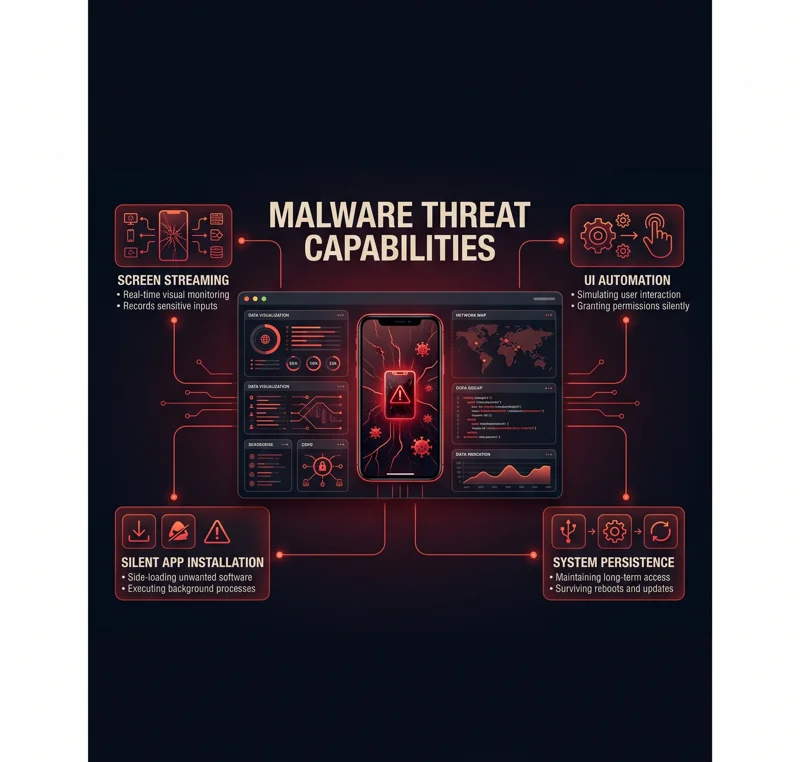
The server issues over 50 distinct malicious commands. Attackers can stream the victim’s screen, simulate screen taps, and extract sensitive financial credentials without triggering security warnings.
The integration of Shizuku turns a standard RAT into an invisible, autonomous device administrator capable of full UI manipulation.
To ensure it remains active, the malware uses aggressive persistence techniques. It plays silent audio to keep the CPU awake and alters memory management scores to prevent the system from killing the malicious process.
| Malware Feature | Description of Threat |
|---|---|
| UI Automation | Simulates swipes, clicks, and gestures to bypass security prompts. |
| Screen Streaming | Captures real-time device usage, exposing passwords and texts. |
| Persistence | Uses WakeLocks and silent audio to prevent device sleep states. |
| Silent Installation | Adds or removes secondary malicious payloads seamlessly. |
Protecting Yourself Since RedHook Android malware now uses Wireless ADB for shell access
Defending against these advanced mobile cybersecurity threats requires vigilance. Social engineering remains the primary distribution method, often disguised as government or bank alerts.
Never grant Accessibility permissions to unverified applications. This single action is the gateway for the entire attack chain.
Always keep Google Play Protect enabled and never download APK files from untrusted third-party websites. For official guidance on device safety, review the Android Security Documentation.
Frequently Asked Questions
What does it mean that RedHook Android malware now uses Wireless ADB for shell access?
It means the malware can abuse Android’s built-in wireless debugging tools to gain high-level system control without needing a USB connection to a computer.
How does the malware get onto my phone?
It is typically distributed through social engineering, such as fake text messages or calls pretending to be from banks, directing you to download a malicious app.
What is an Android accessibility permissions exploit?
It is a technique where malware tricks you into granting accessibility rights, which it then uses to autonomously navigate your phone’s settings and enable hidden developer features.
Does this attack require my phone to be rooted?
No. The fact that RedHook Android malware now uses Wireless ADB for shell access means it works on unrooted devices by acquiring UID 2000 privileges.
What is a Shizuku-based malware framework?
Shizuku is a legitimate developer tool that the malware weaponizes to run commands with elevated privileges, allowing it to silently install apps or record your screen.
Can the malware steal my passwords?
Yes. With shell privileges, the malware acts as an Android remote access trojan (RAT) and can intercept keystrokes and stream your screen to steal credentials.
How can I prevent this infection?
Only install applications from the official Google Play Store, rigorously check what permissions an app requests, and never give accessibility access to unknown apps.
Disclaimer: This article is for informational purposes only. Cybersecurity threats evolve rapidly, and users should always consult official security vendors and software providers for the most current protection strategies.

