'/%3E%3Cpath%20d='m454%20250-4%204-4-4c-3%203-9%205-9%205l2-5q-9%205-10%203c-1-1%2010-12%2012-26%200-1%203-18-8-13-2%201-4-5%200-7%203-2%2010-1%2011%200q1-2%203-2c2%200%2011%201%2014%206%202%205%202%2014%202%2015q0%2015%208%2027c-1%201-8-2-8-2v3s-7-2-9-4m-12-32c4%2014-9%2031-11%2033%2011%200%2012-10%2015-24l1%201c-2%2011-5%2022-8%2025l7-4%203-22h1l-3%2022%203%203%203-3-1-21h1l1%2021%208%203c-5-8-6-25-6-23h1c2%2012%203%2022%2012%2022-3-3-8-16-7-25q0-12-2-15-6-3-10%202-2%202-5-1c-2-2-1-2-6-4q-7-2-6%205s9-3%2013%205zm7-8q-3%201-1%202%203%200%201-2'/%3E%3C/g%3E%3C/svg%3E)
Apple changes full disk access permissions to curb abuse from AI agents across its entire ecosystem in 2026. This sudden move follows intense public scrutiny over third-party assistants secretly harvesting private system data, sensitive browsing sessions, and personal text conversations.
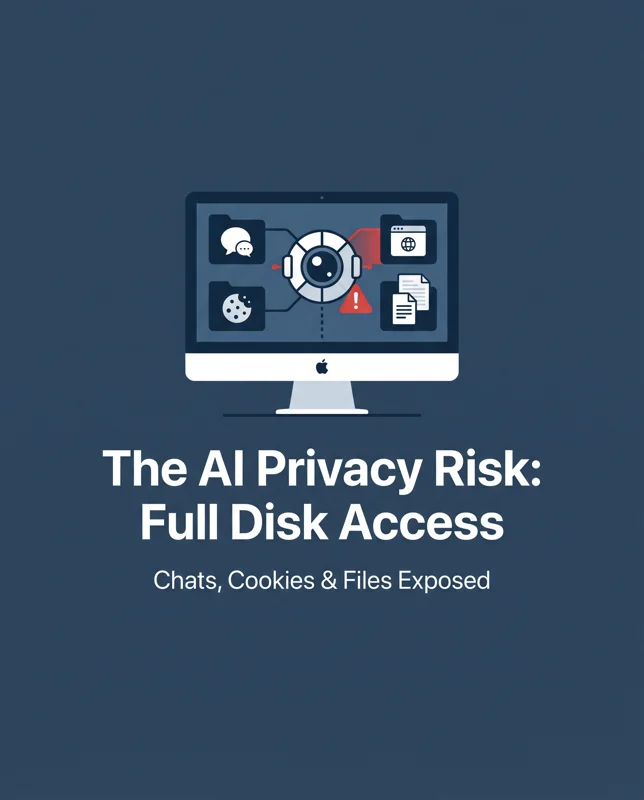
Users discovered that granting unrestricted system rights exposed their entire machine to algorithmic scraping without clear notification. As autonomous tools grow more aggressive, Cupertino has stepped in to draw a firm line between system utility and personal privacy.
Why Apple Changes Full Disk Access Permissions to Curb Abuse From AI Agents
The controversy ignited when tech columnist Jason Aten received an unprompted summary from Meta’s new AI assistant, Muse, referencing a confidential conversation with a co-worker in Apple Messages. Even though Aten never authorized chat parsing, the software accessed local chat databases directly via standard macOS Full Disk Access permissions.
Security researchers quickly confirmed that any application holding these elevated privileges can bypass application-level sandboxes to inspect cookies, email threads, chat archives, and non-root system files. When Apple changes full disk access permissions to curb abuse from AI agents, the goal is to dismantle that blanket pathway permanently.
“As AI agents become increasingly capable and autonomous, the risks associated with this level of access will grow substantially.” — Apple Official Statement
Autonomous AI assistants require significant context to perform tasks, but unregulated system reads create profound vulnerabilities. To protect users, the architecture now forces granular permission dialogues whenever software requests entry to critical user repositories.
| Permission Type | Previous Behavior | Updated macOS Policy | Impact on AI Agents |
|---|---|---|---|
| Full Disk Access (FDA) | Total unmonitored read access to local files | Restricted sandbox; blocks chat database indexing | Eliminates background scraping |
| Messages Database | Implicitly readable under FDA grant | Mandatory secondary per-app authorization | Requires clear user consent |
| Browser Artifacts | Readable cache and history tables | Hardware-bound encryption lock | Prevents session tracking |
Mitigating Meta Muse AI Privacy Risks
Meta leadership defended Muse by arguing that reading chat content requires an opt-in connector inside their own app preferences alongside system authorization. However, macOS security expert Patrick Wardle disputed this narrative, explaining that low-level file reads do not honor software-level GUI toggles once disk-level authorization is granted.
Because Apple changes full disk access permissions to curb abuse from AI agents, developers can no longer shield data scraping behind clever interface toggles. The operating system now isolates private data lakes, insulating devices against AI agent data tracking and hostile code execution.
“From a technical point of view, with FDA, any non-root file is readable: browsing history, browser cookies, chats, etc.” — Patrick Wardle, macOS Security Expert
This development arrives shortly after researchers discovered a vulnerability allowing malicious code injected through ClickFix tricks to seize total control over Muse instances. When an AI tool possesses excessive operating rights, an exploit instantly exposes every resource the assistant can view.
Security Implications: How Apple Changes Full Disk Access Permissions to Curb Abuse From AI Agents
Corporate giants are moving rapidly to contain runaway machine-learning agents. Amazon recently expelled Muse from its ecosystem over compliance issues, echoing enterprise concerns about silent information retrieval. In response, Apple’s latest Apple Messages security update completely partitions message databases away from generic utility tools.
To inspect your current system configuration and manage developer authorizations, consult the official guide on Apple Support Privacy Settings. Keeping these toggles monitored prevents Mac third-party app vulnerabilities from exposing corporate or personal communications.
| Risk Vector | Severity | Targeted Data | Mitigation Action |
|---|---|---|---|
| Silent Chat Harvesting | High | Apple Messages, SMS logs, transcripts | Revoke unneeded FDA permissions |
| ClickFix Hijacking | Critical | Assistant control channels, execution tokens | Disable untrusted helper agents |
| Credential Scraping | High | Web session cookies, local auth tokens | Update macOS to latest security release |
Protecting Your Mac From Aggressive Automation
Users must treat modern desktop assistants like power tools rather than harmless chat interfaces. When Apple changes full disk access permissions to curb abuse from AI agents, it signals a broader shift where operating system vendors actively protect users from third-party artificial intelligence overreach.
Audit your Mac system preferences regularly to ensure no forgotten productivity extension continues to index your communications in the background. Taking active control of your system permissions remains your strongest defense against unauthorized surveillance in the era of autonomous software.
Frequently Asked Questions
Why did Apple changes full disk access permissions to curb abuse from AI agents?
Apple modified the macOS permission structure after uncovering that third-party AI assistants, such as Meta’s Muse, were using broad system privileges to scrape private user files, browsing histories, and Apple Messages conversations without explicit user awareness.
Can Meta Muse AI still read my private Apple Messages?
Under the updated security policy, Meta Muse and similar AI applications cannot silently parse local iMessage archives, as the system now mandates explicit, isolated user permission specifically for communication databases.
What are the main Meta Muse AI privacy risks identified by researchers?
The primary risks include unprompted scanning of private communication records, exposure of sensitive web cookies, and structural vulnerabilities that permit ClickFix exploits to hijack the assistant and view system resources.
How does the new Apple Messages security update protect conversations?
The update isolates the Messages database from standard Full Disk Access, preventing third-party background software from reading chat histories even if broad disk privileges were mistakenly granted.
How can I audit macOS Full Disk Access permissions on my computer?
Navigate to System Settings > Privacy & Security > Full Disk Access on your Mac, review the list of installed software, and immediately toggle off any third-party AI tool or unfamiliar utility.
Why did Amazon ban Meta Muse from its internal systems?
Amazon restricted Muse because company policy requires all connected automated services to operate transparently and respect provider platform boundaries, which unregulated AI agents frequently circumvent.
What should I do if an AI assistant requests full system access?
Deny the request unless the application strictly requires it for core system maintenance (such as an antivirus or backup tool), because giving full disk authorization allows the software to read virtually every unencrypted personal file on your Mac.
Disclaimer: This article is for informational purposes only. Security protocols, software capabilities, and platform guidelines are subject to ongoing updates. Always refer to official Apple documentation for the latest macOS security settings and technical instructions.